3 Reasons Your Conference Rooms Are Empty—And How to Fix Them
If People Are Reluctant to Use Meeting Spaces, It’s Time to Upgrade
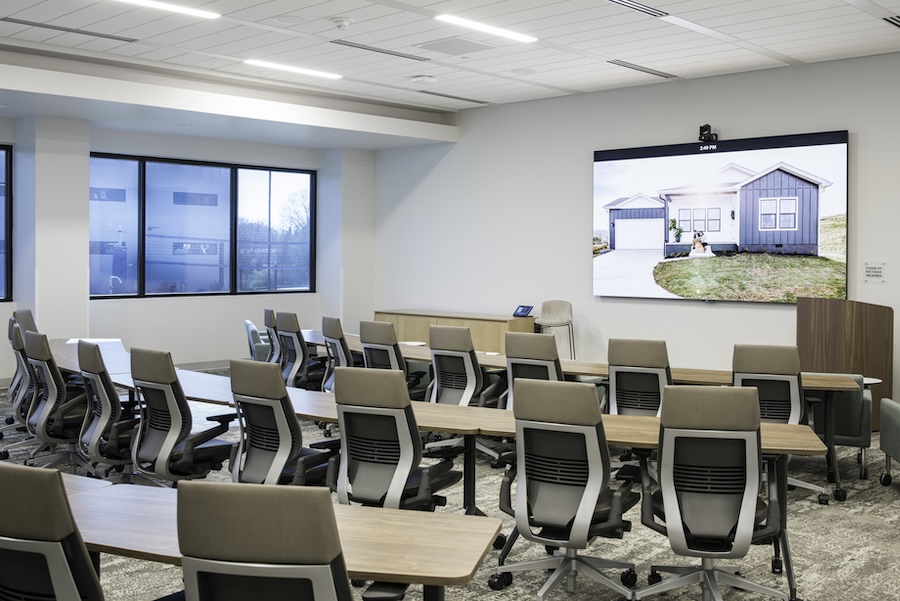
You walk past a sleek new conference room in your office. It’s outfitted with a long table, a display on the wall, maybe a video bar underneath. But no one’s using it. It’s silent. Empty. Unused.
This isn’t just about underutilized real estate. It’s a clear sign that something isn’t working. Unfortunately, empty conference rooms are becoming a common occurrence in many businesses today.
If you’ve invested in dedicated spaces for collaboration, but your team still defaults to their desks, it’s time to look under the hood. Here are the three most common reasons conference rooms go unused and how a custom AV installation can turn them into assets that actually work for your team.
1. Your Technology Isn’t Built for Hybrid Meetings
Conference rooms should support both in-person collaboration and remote participation. But many don’t.
In a modern workplace, it’s not enough to stick a webcam on top of a monitor and call it a day. Your teams need clear audio pickup, smart camera tracking, and speakers that fill the room evenly without sounding like a megaphone. If your remote participants can’t hear side conversations or see the whiteboard clearly, they won’t be able to participate meaningfully, and they’ll stop trying.
The solution? Professional AV systems that incorporate auto-tracking cameras, discreet in-ceiling microphones, and room-wide audio coverage. When a remote attendee can hear every word, see who’s speaking, and view shared content without lag or fuzziness, they’re far more likely to engage. When in-person staff know their input is heard, they’ll feel far more confident hosting hybrid meetings in the conference room.
2. The Room’s Too Hard to Use
Even the best-equipped space will sit idle if people are intimidated by the controls. We’ve seen it plenty of times: someone fumbles with cables, can’t get the screen to turn on, and five minutes into the meeting, everyone wishes they’d just met on Zoom.
Let’s simplify. A well-designed system should let you start a meeting with a single tap. A table-mounted controller should power on the display, connect to the right camera and mic, and launch your preferred conferencing platform, whether that’s Zoom, Teams, or Google Meet.
With wireless content sharing, your team doesn’t need to hunt for the right dongle or waste time emailing files to the connected computer. Everything just works, and that ease of use keeps people coming back.
3. The Space Doesn’t Match How Your Team Works
Not all meetings need a ten-seat boardroom. Many teams collaborate in small bursts, quick huddles, one-on-ones, or breakout groups. If all your AV investment is poured into one big space, the rest of the office ends up underserved.
We help businesses rethink their conference strategy. Maybe that means creating smaller huddle rooms with screen-sharing and soft conferencing capabilities. Maybe it’s reconfiguring an underused training room to support both in-person presenters and virtual attendees. We’ve even designed custom spaces with curved tables that naturally face the camera for better engagement.
The point is, no two workplaces, departments, or groups are exactly alike, so your networked AV systems shouldn’t be, either.
Simplify & Strengthen Your Conferencing Experiences
Conference rooms should make your work easier, not harder. If your spaces are sitting empty, it’s time to ask why– then do something about it. M3 Technology Group specializes in designing AV solutions tailored to how your business actually operates.
Ready to get people back into the room? Let’s talk.


